When lans.cloud launched last week, the pitch was simple: free single-purpose tools, no accounts, nothing leaves your browser, and never an ad on a projector. The launch week turned out to be the busiest stretch of the whole project — the collection now stands at 50 tools, and the three biggest additions each deserve a proper introduction.
One board for the whole lesson
The most requested thing wasn't a new tool at all — it was a way to use several at once. Teachers run a timer, a name picker, and a noise meter side by side all day, and juggling tabs on a smartboard gets old fast.
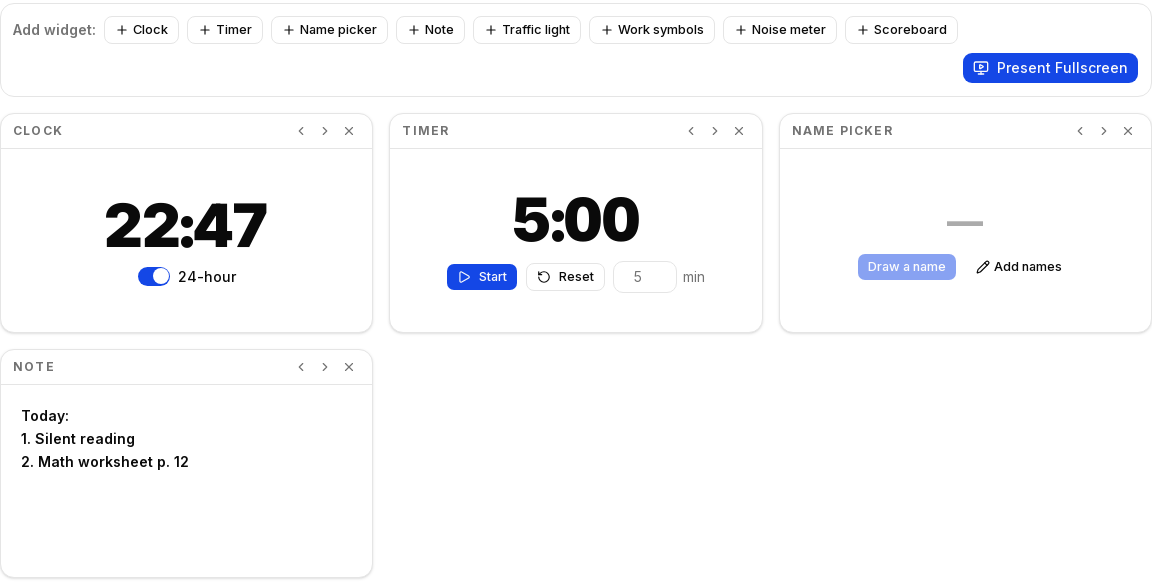
So now there's the Classroom Screen: a composable board where you add the widgets you need — clock, timer, name picker, agenda note, traffic light, work symbols, noise meter, scoreboard — arrange them, and hit Present Fullscreen. The board saves itself in your browser, so Monday morning it's exactly how you left it on Friday. Build it at home, restore it on the classroom PC (more on that below).
Like everything on the site, the fullscreen view is genuinely ad-free, and the noise meter widget follows the house rule: the microphone is reduced to a single number on your device, and the audio is discarded. Nothing is recorded, nothing is sent.
A treasure hunt that works with zero internet
My favorite new tool is the QR Code Treasure Hunt Generator — write a clue per station, print themed cards, hide them, hunt. Kids scan a card with any phone camera and read the clue that sends them to the next hiding spot.
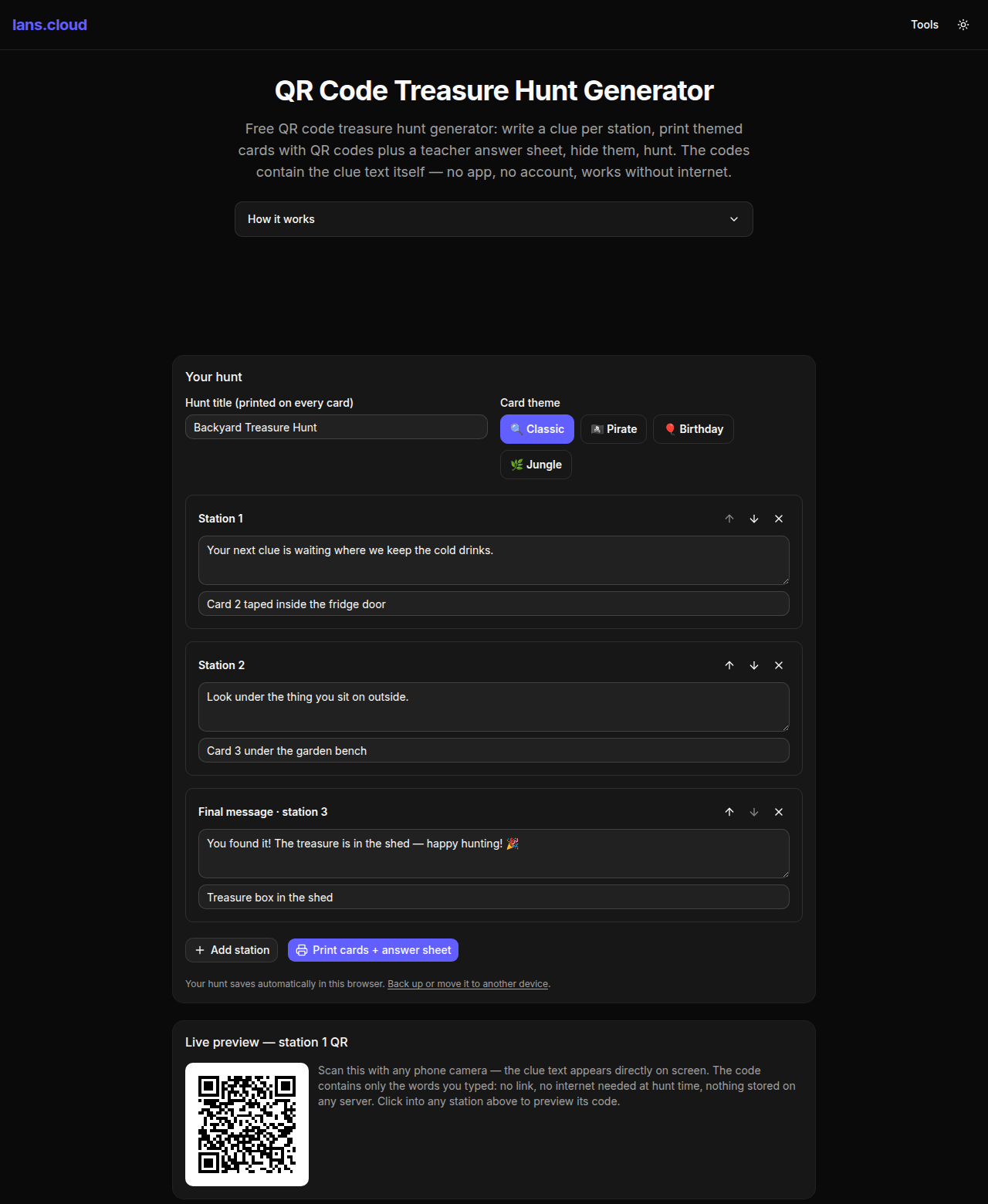
The detail I care about: the QR codes contain the clue text itself, not a link. Every other generator I looked at encodes a URL, which means the hunt depends on someone's server, the school Wi-Fi, and a business model surviving. These codes decode to plain words directly on the phone — the hunt works in a forest, a school basement, or ten years from now. It also means a scanned code can never open a browser to somewhere unexpected, which matters when the players are eight years old.
You get one themed card per station (pirate, birthday, jungle, classic), plus an answer sheet that reminds you where you hid everything — I speak from experience about needing that.
Your data, one file
The one fair criticism of the no-accounts model has always been: if everything lives in your browser, how do I move it? Build tomorrow's classroom board at home, and the smartboard PC knows nothing about it.
That's now solved properly at lans.cloud/my-data: one button exports everything the site has stored in your browser — class lists, saved wheels, boards, settings — as a single, human-readable JSON file. Import it on any other device and your tools pick it up on the next load. There's a delete-everything button too, with no support ticket required, because there's no support department between you and your own data.
I like this page because it's the privacy model made tangible. Data portability and the right to erasure aren't a compliance form here — they're two buttons, and they work in seconds, because the data was never on a server to begin with.
The quieter changes
- Accessibility pass: every slider, dropdown, and input on the site now has a proper accessible name, and a few low-contrast labels got fixed. Lighthouse scores 100 for accessibility on every page we audited — the accessibility page says what the site aims for, and now the audits agree.
- New tools for the gamers: a Pokémon weakness calculator, a D&D encounter difficulty calculator, and a JoJo Stand generator that hashes your name into a permanent, arguable Stand.
- Back-up hints where they matter: tools that hold real data — saved wheels, scoreboard rosters, classroom boards — now quietly point to the export page, right where you'd feel the loss.
A small nerdy detail I'm proud of (again)
The QR tool's page answers "how much text fits in a QR code?" with a reference table. The numbers aren't copied from a spec sheet: at build time, the site binary-searches its own QR encoder — the exact library that generates your cards — for the longest text each version accepts. If the encoder ever changes behavior, the table changes with it. Same philosophy as the launch post: the docs on the page and the tool in your hand can never disagree, because they're the same code.
Try it, break it, tell me
Everything lives at lans.cloud — 50 tools and counting. The feedback button at the bottom of every page still goes straight to me, and it still gets read the same day. If a tool saves you time, there's a ☕ support link — but the tools are free either way, and staying that way.